Creating a film, especially within the sci-fi genre, involves a complex process that spans from conceptualization to promotion. Over nine weeks, I embarked on a journey to bring “Shutter” to life, crafting two trailers, maintaining a blog documenting my progress, designing a key art poster, and establishing an Instagram presence to engage with the audience. In this reflective essay, I will discuss the challenges, triumphs, and insights gained throughout this multifaceted creative process. “Shutter” revolves around themes of technology, identity, and surveillance in a dystopian future. The inspiration for this project came from a film called Midnight in Paris by Woody Allen where the main character travels back to a different era every night while in Paris. This idea of living in a different time and being exposed to famous authors, painters, and writers in the early 20th century changes the protagonists’ perspective on life. After viewing the film, I knew that I wanted to create a similar experience. As Midnight in Paris used a car to bring the main character back and forth between the times, I used a digital camera in “Shutter” for this same purpose. The trailers serve as a window into this world, offering glimpses of the narrative's complexity while enticing viewers with suspense and intrigue. As the project began, I found myself grappling with the task of reducing the most important parts of the film into short, captivating trailers. The first day of filming took place during daytime hours but after looking back at the clips, I realized that some of the shots would look better at night. Nighttime shots would fit better with the genre and theme of the trailer. Research into sci-fi genre conventions helped me understand audience expectations. We used this knowledge to both adhere to and challenge conventions strategically. By rejecting some expectations while embracing others, we aimed to create a unique and thought-provoking narrative experience for our audience. Throughout the process, I constantly revisited the question of how the trailers would represent social groups or issues. The dystopian setting of “Shutter” allowed me to explore themes, such as the consequences of your actions. Societal issues like privacy and technology's impact on society were addressed. The trailers hinted at a future where surveillance and technology intertwine, reflecting concerns about privacy invasion and societal control. By weaving these elements into the narrative and visuals of the trailers, I aimed to provoke thought and spark conversations about these issues. The target audience for “Shutter” is teens and young adults because the characters are teens which makes them relatable. The main character is also a female which will identify with other females in the target audience. This film would most likely appeal to those aged 13-25 based on our research. Maintaining a blog proved to be an invaluable tool for documenting my progress and reflecting on the challenges encountered along the way. Through weekly updates, I shared insights into the creative process, discussed hurdles faced, and celebrated breakthroughs achieved. This transparency not only provided me with a platform for self-reflection but also allowed me to connect with fellow creatives and obtain feedback from readers. One of the key takeaways from the blogging experience was the realization of the importance of perseverance in the face of adversity. As I navigated through setbacks and creative blocks, I learned to embrace the sometimes stagnant nature of the creative process and view challenges as opportunities for growth. Additionally, the blog served as a storehouse of knowledge, allowing me to track my progress and identify areas for improvement. The key art poster serves as a visual representation of the film persuading viewers to delve deeper into the world of "Shutter." In designing the poster, I sought to create a sense of branding that would resonate with the target audience and convey the tone and themes of the film. The poster shows the main character in black and white with a digital camera in front of her face. I chose to create the poster in black and white instead of color as I felt that it portrayed the film darker than it would seem if the poster were in color. Elements such as typography, color palette, and imagery played a crucial role in establishing a cohesive visual identity for "Shutter." By incorporating futuristic elements and subtle hints about the narrative, I aimed to pique curiosity and leave a lasting impression on viewers. Additionally, I ensured consistency across all promotional materials, reinforcing the film's branding and creating a sense of anticipation among the audience. In today's digital age, social media platforms offer filmmakers a powerful tool for engaging with the audience and generating buzz around their projects. With this in mind, I created an Instagram page for "Shutter" and curated a series of posts aimed at promoting the trailers and providing behind-the-scenes insights into the filmmaking process. The Instagram page served as a platform for direct interaction with the audience, allowing me to share updates, respond to comments, and foster a sense of community among followers. By leveraging features such as Instagram stories, I was able to offer exclusive content and further immerse viewers in the world of "Shutter." Additionally, I utilized hashtags and targeted advertising to expand the reach of the promotional campaign and attract new audiences. The trailers, key art poster, and Instagram posts all shared common visual elements like color schemes and fonts. These consistent elements helped create a recognizable brand identity for Shutter making it easier for the audience to associate with the film. Throughout the creative process, engaging with the audience played a crucial role in shaping the direction of the project and refining the final products. Feedback gathered from blog readers, social media followers, and test screenings provided valuable insights into the audience's expectations and preferences. Through the blog and Instagram, I interacted with the audience by sharing updates, and behind-the-scenes footage, and responding to comments. This direct engagement fostered a sense of community and anticipation among viewers, making them feel involved in the filmmaking process. One of the key challenges faced was striking a balance between honoring genre conventions and challenging audience expectations. Through research and analysis of existing sci-fi films, I gained a deeper understanding of the genre's conventions, which helped craft my approach to designing the trailers and promotional materials. By rejecting certain conventions while embracing others, I aimed to create a fresh and compelling narrative that would resonate with both fans of the genre and newcomers alike. After working “Shutter” for a little over two months, I realized that I was on a journey marked by creativity, collaboration, and growth. From the conceptualization phase to the promotion of the final products, each step presented its own set of challenges and opportunities for learning. By engaging with social issues, establishing a cohesive visual identity, and actively connecting with the audience, I sought to create a trailer that would captivate and inspire viewers and make them want to see the entire movie. As I look back on these nine weeks, I am proud of the work accomplished.
Tuesday, April 9, 2024

Final Project
It's finally here! The portfolio project is all done!
Here is the link to Riley and I's final project! The thumbnails, movie poster, and trailers are all in this folder. Enjoy!
A Level Portfolio Project
Monday, April 8, 2024
Week Nine: Final Comments
It is officially week nine. The end is here.
I have finished twenty-four blog posts and have three left to do. The last three will be this final reflection, our project components, and the Critical Reflection. It's important to take a moment to think about the past eight weeks and what Riley and I have achieved. We started with few ideas and not much direction, but we kept working every week to make two film trailers – and we did it! Now, every part of our project is done, and I think it's some of our best work.
I'm especially proud of how we managed social media because it's important for our final grade. I also like the poster and thumbnails we made. I can't wait to submit this as our portfolio project.
Thanks for being with us on this journey. I'll post two more times to show you everything we've done and my final reflection.
Sunday, April 7, 2024
End of Week Eight
Happy Sunday everyone! It is officially the end of week eight. We are heading into the last week of this portfolio project.
 |
The sample |
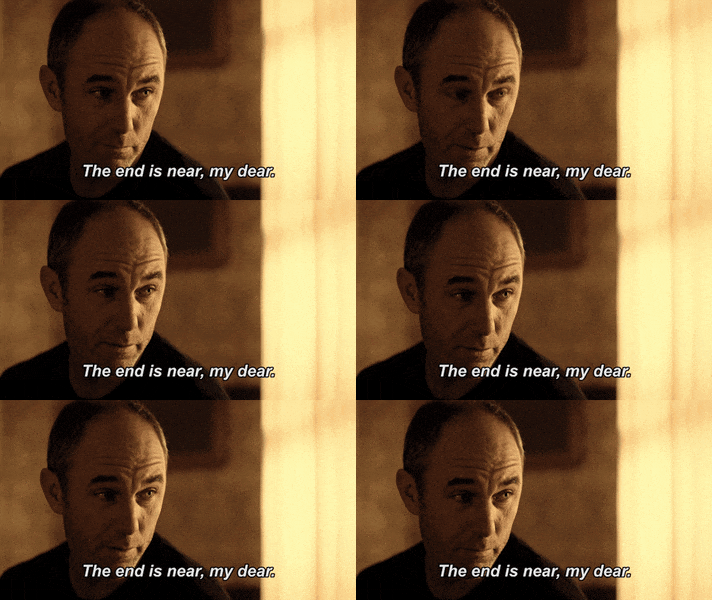
It has given me a really good idea of what my reflection has to include and look like. I am going to start a rough draft of the reflection either later today or tomorrow. I will keep you guys updated on how the writing goes.
As I mentioned in my previous posting, Riley and I were working and editing the key art poster. We were deciding between making the poster in color or black and white. We ended up making it black and white because it fit the genre of the film better. We also posted the poster on our Instagram feed, so check it out there too!


These are the major updates for now, see you next week!
Thursday, April 4, 2024
The End is Near
Happy Thursday everyone! I still can not believe this project is almost over. T-minus six days!
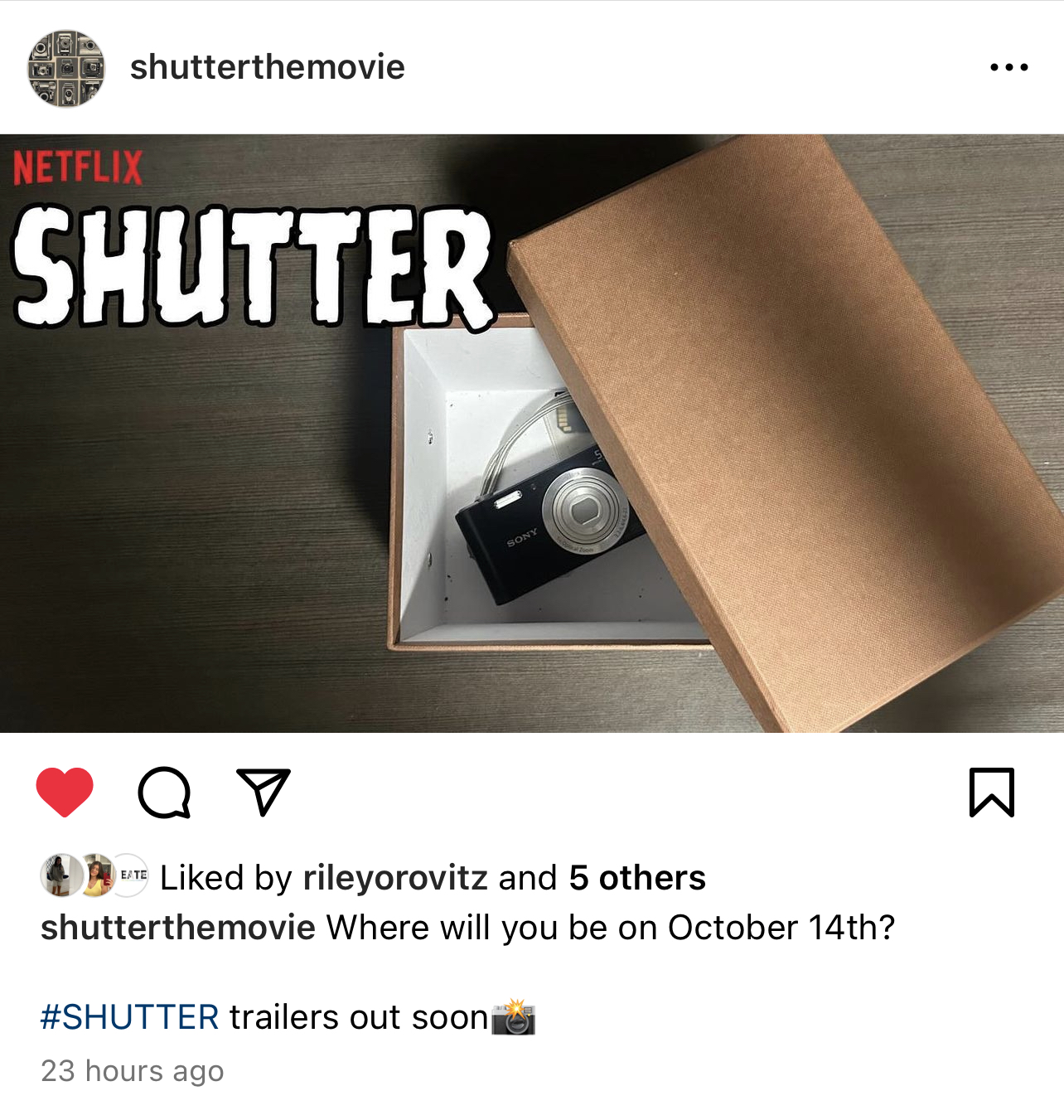
Riley and I have started working on our thumbnail photo and the key art poster. We tried a few shots but settled on one where the camera was inside a box from a high angle. To add some character we positioned the box cover slightly over it. The shadow isn't perfect, but we really liked the background on the dark desk. I'm happy with how it turned out. It's already posted it on our Instagram, so take a look!
Next, we started to work on the poster key art. I thought about either having Abby hold the camera while we took a side picture or having her look at me straight on while holding the camera. Riley and I decided to go with the head-on image. When we looked at the picture later, we noticed there were a lot of distracting lines in the background. So, we got rid of them as best as we could when we put the picture into Canva. We adjusted the tagline to make it stand out more and zoomed in on the picture to remove some distractions on the right side.

These are some of the last things we have to do for the project! On social media, we're doing well with a total of twenty-two postings. It's also almost time for the Critical Reflection, and things are getting really busy! That's all for now, but check back later this week for another update before we reflect and submit our project! Bye.
Tuesday, April 2, 2024
Week Eight: Group Meeting
Hello everyone! It is week eight. Wow! Time has flown by.
In class today, we had another group meeting and I got a lot of good suggestions and feedback from my peers. They suggested creating a blooper reel and posting it on our Instagram after the trailers are posted. I asked my classmates to follow my Instagram account too, just to expand our audience a little more.
I also asked them what they think my key art poster should look like and they proposed involving a lens of a camera or one of the character’s faces “stuck in the camera/lens” and to create a tagline for our poster. After every person went around and presented their blog and projects so far I believe Riley and I are on a good path to be finished a little before the due date or right on time.
My group members mentioned that they are also editing using iMovie and/or Adobe Premiere. I feel like a lot of progress has been made since our last meeting back at the beginning of March. Most of my classmates are done filming and starting to edit like me. We are all working/thinking about each of our print components too. Riley and I have started composing our key art poster and will be using the ideas from peers for it.
Even though next week is the last week of the project I noticed none of us are quite ready for the critical reflections, but I am going to start thinking and possibly creating a rough draft sometime this week or weekend. I'll keep you all updated of course!
 |
My group |
That's it for now. Bye!
Friday, March 29, 2024
The Music
Hi all! We are nearing the end of week seven. That's crazy to think about!
 |
| Audio from portfolio project last year |

 |
| Old cameras shuttering sound |
 |
| Clock ticking sound |
 |
| Back in time sound |
I am going to edit the music and these sound effects in now. Wish me luck! Bye for now.
Thursday, March 28, 2024
The Editing:
Hi everyone! I am currently writing this at 36,000 feet high in the sky, I am on my way to New York City.
Since my last posting, I am almost done editing the trailer. I just have to add some final touches to the clips and add in the credits and release date of the film. I am not sure if I want to put the credits and release date at the beginning or end of the trailer. I’ll do both and see what looks better. Surprisingly it was much easier to edit than I thought it would be. I finally see Riley and I’s vision for our project coming alive.
When editing the last few clips, where Olivia (Abby) is transported into the 2020 COVID-19 alternate timeline I tested out the iMovie filters to use to make the footage differentiate from the rest of the clips. After testing out a few of them, I decided on the filter named Camo. Here’s what it looks like in the trailer so far:

Moving on, it is time to start thinking about audio. Since I did a sci-fi movie trailer last year for the portfolio project I have already used and researched music that I think could work in this trailer too. I would have to go back to my audio files from last year, implement them in the trailer, and see what works best. I also want to include some sound effects, possibly the sound of a camera shuttering, a clock ticking, and maybe some Foley as well. I will test all of this out soon and update you all on how it goes and what sounds I decide to utilize.
See you soon!
Wednesday, March 27, 2024
Week Seven: Let the editing commence!
Hey everyone, it is officially week seven of the project! The difficult part of this week is that is also spring break.
As I mentioned in another posting, I will be going on vacation to New York City from this Thursday to Sunday. So I have started editing now! I have officially decided to use iMovie to edit and Riley will do the same. I am more comfortable editing on the iMovie app on my phone rather than using my laptop.
 |
I texted Riley to make sure we know which clips each of us should be editing. To create the two trailers, Riley and I are dividing and conquering to ensure that the trailers have different aspects and qualities to them. Although they will utilize the same clips we are using different editing techniques. Riley is using text graphics to differentiate from my trailer. We are both taking creative liberty on our trailers to make them different from one another.
I will continue editing for the rest of the week and keep updating on how the progress goes. See you in the Big Apple aka New York City.
Sunday, March 24, 2024
End of Week Six
I can hardly believe I'm saying this, but we need to start editing this week.
Adding special effects can also take my sci-fi trailer to the next level. iMovie offers a range of effects like "Green Screen" and "Lens Flare" that can enhance the futuristic vibe of the trailer. With Green Screen, I can place my actors in any environment imaginable. Lens Flare adds a cinematic touch, making my scenes look more dynamic and polished. iMovie has a library of sound effects and music tracks that I can use to create atmosphere and build tension in my trailer.
That's it for now! See you next week for my editing process.
Friday, March 22, 2024
Filming, Once Again!
I've been saying for a while that we need to finish filming, and we finally did it!
 |
| From the Shutter Instagram story |
 |
 |
| Car chase scene |
That's it for now, see you in my next posting!
Wednesday, March 20, 2024
The Start of Week Six:
Hello everyone! It is officially week six. It's time to start locking down on all our components.
As I mentioned last week, after rewatching Josh's scenes we shot, we were not satisfied with them. We have now set a date for that to re-film these scenes. We're meeting up tomorrow night to re-film three scenes again.
Since spring break is coming this week, we had to decide on a reshooting day quickly. Unfortunately, our actress Jenna who plays Maddie is not available tomorrow night. It's tough to find a time when everyone can make it, so Jenna won't be in the scenes we are redoing. It's not a big deal because she was only in one scene, and it's easy to take her out of it. I'm relieved we sorted this out so we can start editing both trailers sometime next week. We also officially decided to use iMovie for editing because it's easier for Riley and me to use.
Instagram page
I also wanted to include this post to showcase the latest update on our Instagram. I used a still shot from one of our scenes, so our followers can get an idea of what is to come of the content of the trailers. The shot is of the "vintage" camera with a picture of Maddie (Jenna), with the camera lying on the floor. It leaves a lot of room for interpretation and mystery to the audience.

That's all for now! I'll be back to discuss the concluding day of filming and potential trailer elements.
Sunday, March 17, 2024
Thinking about Editing
It is about that time... thinking about editing.
Hi everyone! It is the last day of week five. About to head into week six! Exciting but nerve-racking.
Anyway, I have typically resorted to using iMovie for editing because I find it easy to use, but I think Adobe Premiere Pro might give us a better final result. So, I will have to research more into Adobe Premiere and learn how to navigate it.
We have to reshoot some scenes, mainly the ones with Bennett (Josh) because he plays the main bad guy. It's tricky though to start editing without all the scenes in place. We need to find a day for reshooting, but it's hard because everyone has such busy and different schedules.
Josh is only in a few scenes for the first trailer. These scenes are crucial, so we need to decide when to reshoot them. In the second trailer, Josh is in just one scene, so we might start editing that trailer first. It's a scene where his character, Bennett, gets an envelope with a camera inside, which explains where the camera comes from.
Right now, Riley and I have all the footage from filming in a shared album. Our next step is to organize the footage into separate albums for each trailer. This will make editing much easier. We also talked about some clips that might be used in both trailers. I'll write more about this and other trailer details in a later post.
The next steps are organizing the footage, editing the second trailer, and finishing the reshoots. Check back next week!
Thursday, March 14, 2024
Print Component Research
Hi everyone! Sick of me yet? I am back with another posting for this week. This post will be on thinking about the print component of our project.
Film Promo- Poster
Choices dictated by the distribution plan
Main key art for marketing
Theatrical release
title
key art
production credits
tagline
Streaming release
multiple thumbnails w/key art
title
few production credits


Tuesday, March 12, 2024
Lights, Camera, Action!
Hi everyone! It is officially week five. Time is flying by!
 |
| Filming Josh (Bennett) in Riley's front yard |
 |
| Filming in Riley's office |
 |
| Lauren's camera filming Riley filming a scene |
After filming most of the scenes at Riley's house, we decided to film in a setting with more people and more of more city-like atmosphere so we drove over to Weston Town Center. It was here where we filmed, the last few scenes. Don't mind our actresses wearing masks-you will understand the meaning behind it soon!
 |
| Filming in new location |
 |
| More filming |
Thursday, March 7, 2024
Storyboarding Part 2
As I said in my previous posting, I am not an artist - so I made my storyboarding in written form.
For the storyboard for my second trailer, I used text graphics and the types of shots, angles, and editing we want to use in our production. Here is what I came up with (subject to change):
“Discover the power to alter reality. Shutter - coming soon.”
Scene 1: Montage - Olivia captures ordinary moments with the camera, revealing alternate versions of
reality
(fade in between each “moment”)
Text Graphic - "Unveiling the consequences of altering timelines."
Scene 2: Clip - Olivia accidentally alters a significant event, leading to unexpected consequences
Text Graphic - "Changing the past can rewrite the future."
Scene 3: Quick Cuts - Scenes of parallel timelines converging, causing chaos
Text Graphic - "Worlds collide, destinies intertwined."
Scene 4: Fast-paced Clips - Olivia desperately tries to fix the timeline, facing challenges and dangers
Text Graphic - "Every choice has a ripple effect."
Scene 5:
Emotional Scene - Olivia’s relationships are strained as friends and family are affected by
timeline alterations
Text Graphic - "How far would you go to undo the past?"
Scene 6: Intense Clips - Olivia confronts the consequences head-on, battling against the unruly
timelines
Text Graphic - "The Shutter demands its price."
Scene 7: Mysterious Clip - A hint at a larger mystery surrounding the origin of the Shutter
Text Graphic - "The true power of the Shutter yet to be revealed."
Scene 8: Fade Out - Title card: "Shutter."
Text Graphic - "In theaters soon."u

Going to start filming at the end of this week, stay tuned for more!
-
Creating a film, especially within the sci-fi genre, involves a complex process that spans from conceptualization to promotion. Over nine we...
-
Hi everyone! It's almost the end of week three. Time is flying by! Our productions' target audience is teens and young adults. To fi...
-
 Happy Sunday everyone! It is officially the end of week eight. We are heading into the last week of this portfolio project. The trailers, k...